How to try on glasses online.
What it shows, and what it can’t.
You can try on glasses online in three ways: a store’s virtual try-on, which shows the frame on your face through your phone or computer camera; a try-on app; or real frames at home, through a store’s home trial or its returns. Virtual try-on shows shape and style well, colour and size only roughly, and it can’t show how a frame feels.
Updated
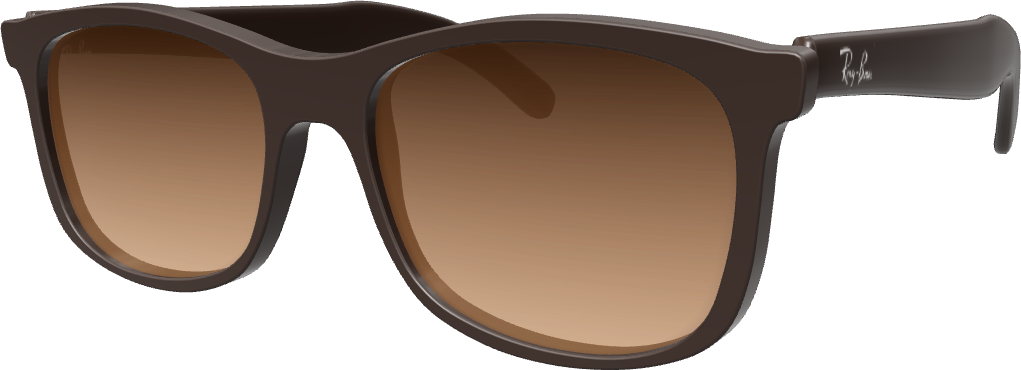
Three ways
Camera, app or at home.
Three ways to try before you buy.
Virtual try-on on the store’s site
Tap Try on next to a frame and look into your phone or computer camera.
- Takes
- A minute or two
- Costs
- Free
- Frames
- Any frame with a Try on button
- Feel the fit
- No
A try-on app
Frames from many brands in one place, on your phone. Some apps use the phone’s face-scanning camera. LessLens is one, for iPhone.
- Takes
- A few minutes
- Costs
- Usually free
- Frames
- The app’s catalogue
- Feel the fit
- No
At home: a trial or returns
A few stores let you try real frames at home before you pay, one even with your prescription. More often, you order a pair and send it back if it doesn’t suit you.
- Takes
- Days, with shipping
- Costs
- Depends on the store’s terms
- Frames
- Real frames, from one store
- Feel the fit
- Yes
A good order: narrow the shortlist with a virtual try-on, check the size numbers, then try the last one or two at home if the store offers a home trial or easy returns.
Step by step
How to use a virtual try-on.
Four steps, a minute or two.
-
01
Find the Try on button.
It sits on the frame’s page, near the photos or under Add to cart. Stores name it differently: Try on, Virtual try-on, Virtual mirror.
-
02
Allow the camera.
Your browser asks first; choose Allow. Some stores first show their own terms for the try-on. No camera, or rather not use it? Some stores take a photo instead.
-
03
Glasses off, face the light.
Take your own glasses off, so the new frame doesn’t sit over them, unless the try-on says you can keep them on. Face a window or a lamp, hold the screen at eye level, and keep your hair off your brows, so you see where the frame sits against them.
-
04
Turn your head, then compare.
Turn slowly left and right to see the sides. Switch colours, and take snapshots to compare later with your glasses back on.
Video
Watch it in a minute.
The whole guide, start to finish.
A store’s try-on step by step, what it shows and what it can’t, and the three numbers to check before you buy.
Is it accurate?
Is virtual try-on accurate?
Good for style. Not for the feel.
A good virtual try-on gives you a fair idea of style: the frame’s shape and how it suits your face, with a rough idea of its colour, since cameras and screens shift colours. What no camera can tell you is how a frame feels: on your nose, behind your ears, after a long day.
Size is the one to double-check. To show a frame at its real size, the try-on has to know how big your face is, and an ordinary camera picture shows that only roughly. An exact size takes a reference, such as a card of a known size or a depth camera (research on real-size try-on, 2024); without one, the try-on estimates from typical sizes, and a frame can look noticeably wider or narrower on you than it will be. So compare the frame’s numbers with a pair that fits you.
It shows
- Roughly where it sits on your face
It can’t show
- Weight
- How thick your lenses will be
Check the size
Check the size:
three numbers on the arm.
- 52mmLens widthThe width of one lens, across.
- 18mmBridgeThe gap between the lenses, over your nose.
- 140mmTemple lengthThe arm, from the hinge to its end.
Find them on a pair that fits you well, usually on the inside of an arm (the temple), sometimes on the bridge, printed like 52□18 140 or 52-18-140. Compare them with the numbers on the store’s frame page: frames with close numbers usually fit about the same, and the total frame width, if the store lists it, is a good single number to compare: on your own pair, measure straight across the front at its widest point. Ordering prescription lenses? You’ll also need your PD: measure it free with your phone or laptop camera.
Where to try
Where to try on glasses online.
In an app, or on the store’s own site.
LessLens for iPhone
Try frames from brands such as Ray-Ban, Oakley and Prada live on your face, compare your favourites, then buy from the retailer at the retailer’s price. Free, for iPhones with Face ID.
Download on theApp StoreMost retailer links in the app are affiliate links: LessLens may earn a commission, and your price doesn’t change.
On store websites
Many online glasses stores have a try-on on or linked from the frame’s page. These had one when we checked on November 18, 2026. Camera: a live try-on. Photo: you can upload a photo instead. 3D view: the frame turns on screen, not on your face.
- Warby Parker USCamera3D view
- Zenni USCameraPhoto3D view
- GlassesUSA USCameraPhoto
- Eyeconic USCameraPhoto
- Walmart Vision Center USCamera3D view
- Glasses.com USCamera
- America’s Best USCamera
- Specsavers UKCamera
- Vision Express UKCamera
- Glasses Direct UKCameraHome trial: up to 4 frames, 7 days
Stores change their tools. If you don’t see a Try on button, look for “Virtual try-on” on the frame’s page.
Try-on questions
Good questions.
Straight answers.
Updated November 19, 2026.
Ordering lenses? How to read your prescription
With a photo? Try on glasses with a photo
Sunglasses? Virtual sunglasses try-on
Something else? Write to us
What do I need for a virtual try-on?
A phone, tablet or computer with a camera, a current web browser, and good light on your face. The browser asks before the try-on can use the camera. Apps have their own needs: LessLens, for one, needs an iPhone with Face ID.
Is virtual try-on for glasses accurate?
For style, mostly: a good virtual try-on gives a fair idea of a frame’s shape and how it suits your face, and a rough idea of its colour, since cameras and screens shift colours. Size depends on whether the try-on knows how big your face really is, so compare the frame’s numbers with a pair that fits. No try-on can show how a frame feels on your nose and behind your ears.
Can I try on glasses online with a photo?
Often, yes: some stores’ try-ons take an uploaded photo as well as the live camera. Use a sharp, straight-on photo with your glasses off, in even light, taken from further away than a close selfie. A photo shows one angle; the live camera lets you turn your head and see the sides. Try on glasses with a photo.
Should I take my glasses off for a virtual try-on?
Take them off unless the try-on says you can keep them on; otherwise the new frame sits over your own. When we checked in November 2026, Specsavers, Zenni and America’s Best said you could keep them on. If you can’t see the screen well without them, hold it a little closer, or take snapshots and look at them with your glasses back on.
Can I try on glasses at home for free?
With a few stores, yes. When we checked on November 18, 2026, Glasses Direct in the UK offered a free home trial of up to 4 frames for 7 days, from part of its range. The Framery in the US (formerly Liingo Eyewear) sent one pair made to your prescription, single-vision lenses only, to try for 15 days: it takes your card and charges it only if you keep the pair past the 15 days. Elsewhere, check the store’s return policy before you order: how many days you have, who pays the postage, and whether prescription lenses are refunded.
Does Warby Parker still do Home Try-On?
No. When we checked on November 18, 2026, Warby Parker’s Home Try-On page said the program had come to an end; it points shoppers to its virtual try-on, its app and its stores instead.
Does virtual try-on work for prescription glasses and sunglasses?
Yes, for both. You try on the frame; prescription lenses are made after you order, and most try-ons don’t show how thick a strong prescription lens will look at its edges. For sunglasses, a try-on can show how the lens looks on you, not the view through it. Virtual sunglasses try-on.
Do I need an app to try on glasses?
No. Most store try-ons run in the browser on a phone or a computer: you allow the camera, and some stores first ask you to accept their try-on terms. An app is handy if you want to try frames from many brands in one place, such as LessLens on iPhone.
Is my camera picture saved when I try glasses on?
It depends on the store. Some try-ons process the camera picture on your device, others send it to their servers; the store’s privacy policy or the try-on’s own consent screen says which. Your browser asks before any site can use the camera, and you can turn that permission off at any time.
For eyewear stores
Have a store?
Add try-on to it.
LessLens puts a Try on button on your product pages: shoppers see your frames on their own face, in the browser on computers and phones. Start with a pilot on your own frames.
- 60daysPilot, counted from the day the button goes live
- 20framesUp to 20 of your own frames in the pilot
- $0Subscription fee during the pilot; new 3D models of your frames are $39 each
About this guide
Written by the LessLens team. We make virtual try-on for online eyewear stores and the LessLens app for iPhone, so we see every day what a try-on can and can’t show. The advice works with any store’s try-on. Store details were checked on each store’s own website on November 18, 2026.
Sources: each store’s own website, including Warby Parker’s Home Try-On page and The Framery’s In-Home Try-On page; on true-to-size try-on, Wu, Chen, Dellinger and Cheng, Real-Size Experience for Virtual Try-On (WSCG 2024).
LessLens for iPhone
See it on your face. Then decide.
Free on the App Store.
For iPhones with Face ID.
No iPhone? Use a store’s try-on in your browser (list above), and measure your PD free.